Integrations · CRM

KeyCRM for Shopify in Ukraine
Orders from your Shopify store's checkout go straight to KeyCRM: with the Nova Poshta city and branch, payment method, UTM tags and click IDs.
What works
- Every order lands in KeyCRM with its items and buyer.
- Nova Poshta delivery and the payment method map to your KeyCRM settings.
- UTM tags and click IDs for ad analytics.
How to connect
- 1
 Connect Shopify
Sign up for UA Checkout and connect your store following the guide (about 10 minutes), or we connect it for you.
- 2
Get the keys
The API key: KeyCRM → «Налаштування» → «Загальні» → API; the order source ID is there too.
- 3
Turn it on
UA Checkout dashboard → the store's “Settings” → the “Receipts, CRM, SMS” tab → KeyCRM → “Configure”: paste the details and save; the integration turns on. Place a test order: it appears in KeyCRM under the chosen source.
Step-by-step guide
-
1Connect your Shopify store
Sign up at app.ua-checkout.com and connect your store with the step-by-step wizard (10–15 minutes), or leave a “We'll connect it for you” request and the team does it.
-
2Get the API key and the source ID in KeyCRM
KeyCRM → «Налаштування» → «Загальні» → API key. The source ID is the number of the KeyCRM order source the orders go to (for example, a separate “Shopify” source).
-
3Open the “Receipts, CRM, SMS” tab
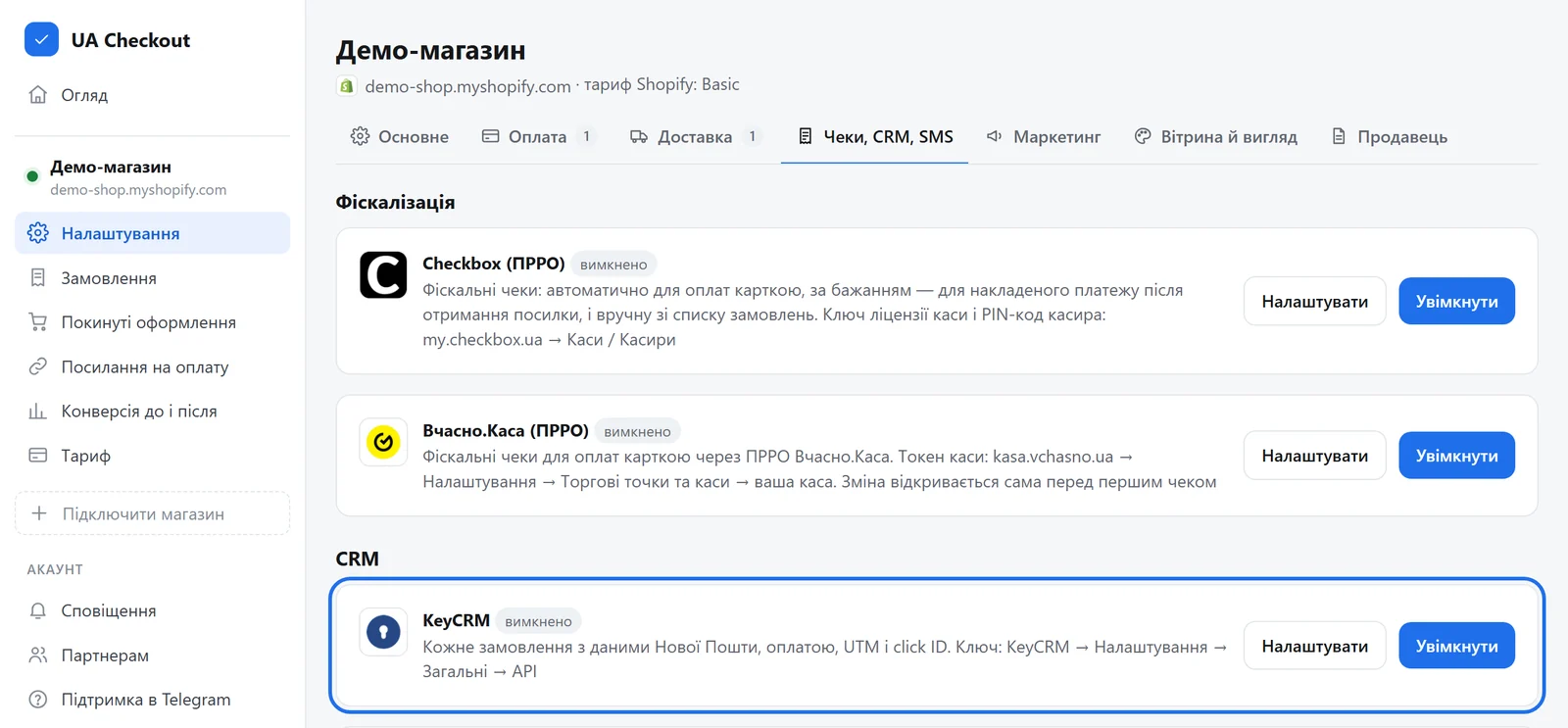
UA Checkout dashboard → the store's “Settings” → the “Receipts, CRM, SMS” tab → the “KeyCRM” card → “Configure”.
-
4Paste the key and the source ID
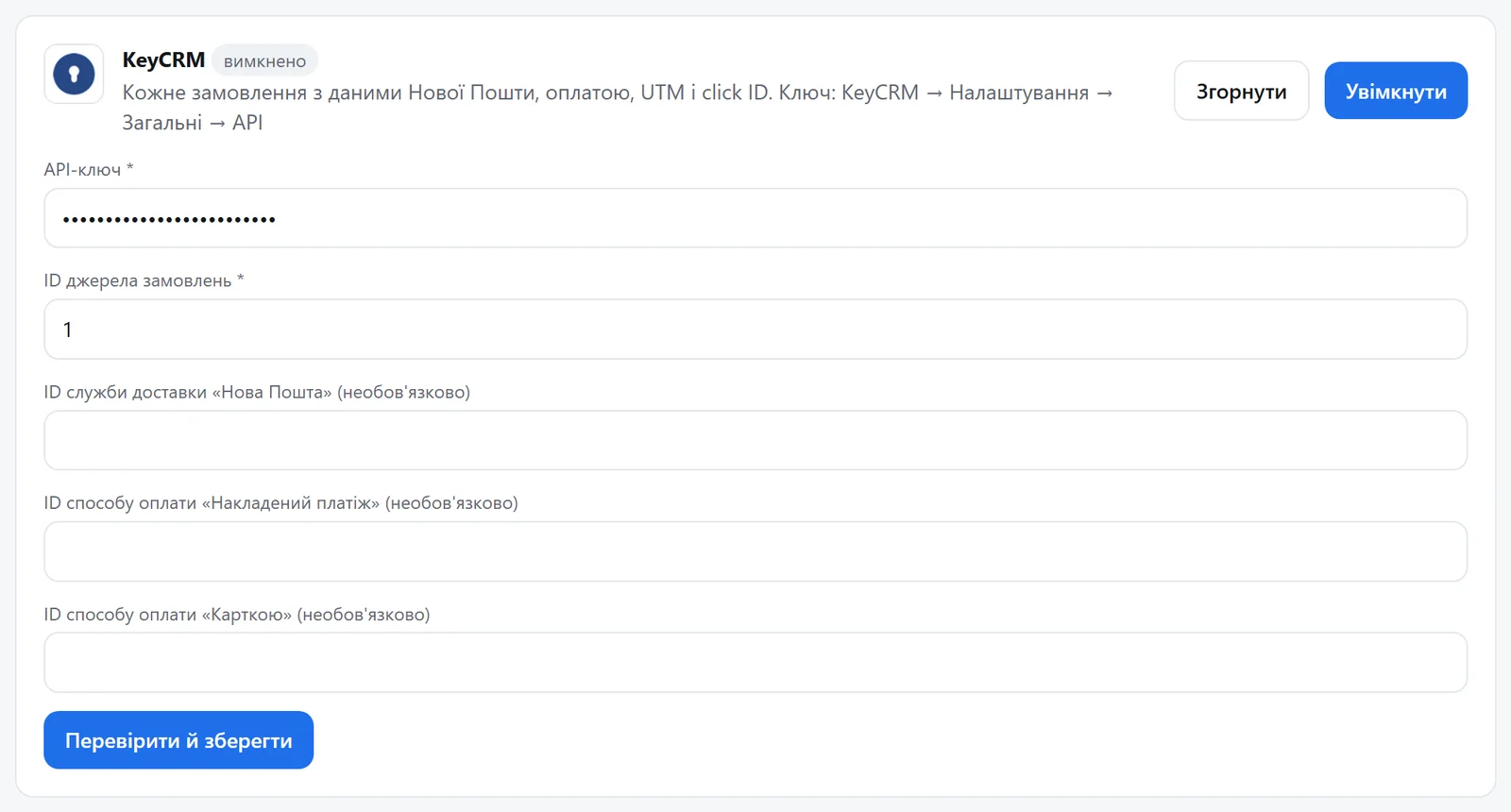
The API key, the order source ID and, if you like, the IDs of the “Nova Poshta” delivery service and of the “Cash on delivery” and “Card” payment methods from your KeyCRM settings, so delivery and payment land in the matching order fields. Press “Verify and save”: UA Checkout checks the key with KeyCRM and turns the integration on.
-
5Check with a test order
Place an order in your store: it appears in KeyCRM under the chosen source with the items, buyer, Nova Poshta city and branch, payment method, UTM tags and click IDs.
Questions
Do I need a developer?
No. You paste the keys in the UA Checkout dashboard and the Shopify theme usually stays untouched. If you prefer, we connect it for free.
How much does it cost?
UA Checkout: free up to 30 orders a month, then Pro at 790 ₴ a month, with no percentage of sales. The first 14 days of Pro are free.
KeyCRM in your checkout today
We'll set it up together with you for free. Message us on Telegram