Integrations · Delivery

Ukrposhta for Shopify in Ukraine
Ukrposhta in your Shopify store's checkout: branches with the real delivery price (Standard or Express), cash on delivery under your contract, shipments and tracking.
What works
- Branch search by city or postcode, with the delivery price and time before payment.
- Cash on delivery, if your Ukrposhta contract includes it.
- Shipments from the UA Checkout dashboard or automatically after the order; tracking in Shopify.
- Free delivery from an order total you choose.
How to connect
- 1
 Connect Shopify
Sign up for UA Checkout and connect your store following the guide (about 10 minutes), or we connect it for you.
- 2
Get the keys
Your Ukrposhta manager issues the eCom and StatusTracking bearers and the counterparty token after the contract. Set the postcode of the branch you ship from.
- 3
Turn it on
UA Checkout dashboard → the store's “Settings” → the “Delivery” tab → Ukrposhta → “Configure”: paste the details and save; the integration turns on. Ukrposhta has a test server with sandbox keys.
Step-by-step guide
-
1Connect your Shopify store
Sign up at app.ua-checkout.com and connect your store with the step-by-step wizard (10–15 minutes), or leave a “We'll connect it for you” request and the team does it.
-
2Get the keys from your Ukrposhta manager
After the contract, your Ukrposhta manager issues the eCom bearer, the StatusTracking bearer (tracking) and the counterparty token. There is a Ukrposhta test server with sandbox keys for trying it out. Whether cash on delivery is possible depends on your contract; ask your manager.
-
3Open the “Delivery” tab
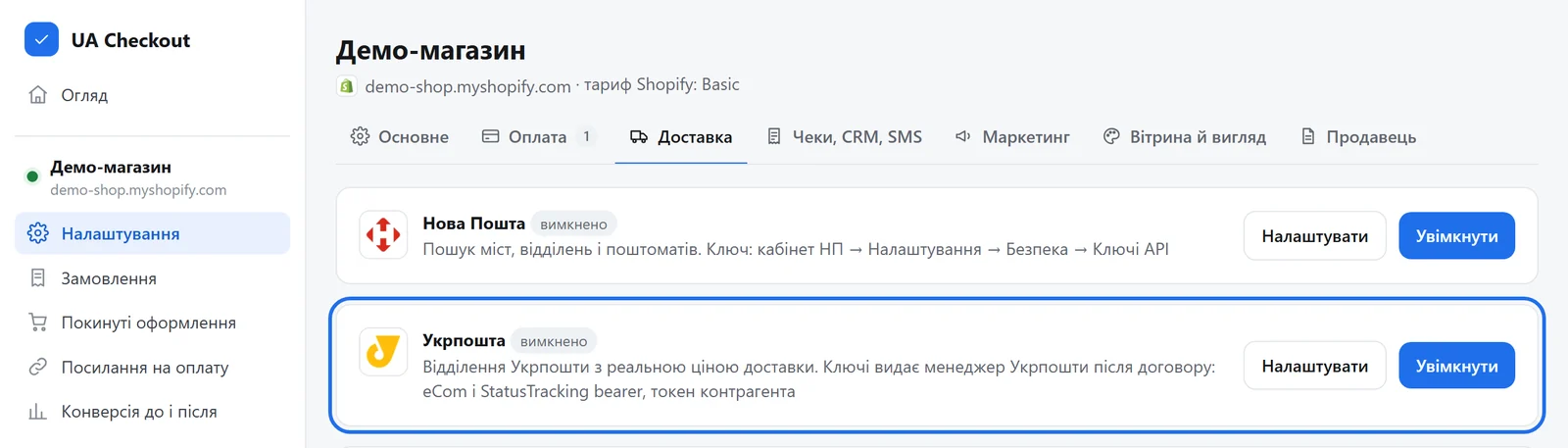
UA Checkout dashboard → the store's “Settings” → the “Delivery” tab → the “Ukrposhta” card → “Configure”.
-
4Paste the keys and the sender details
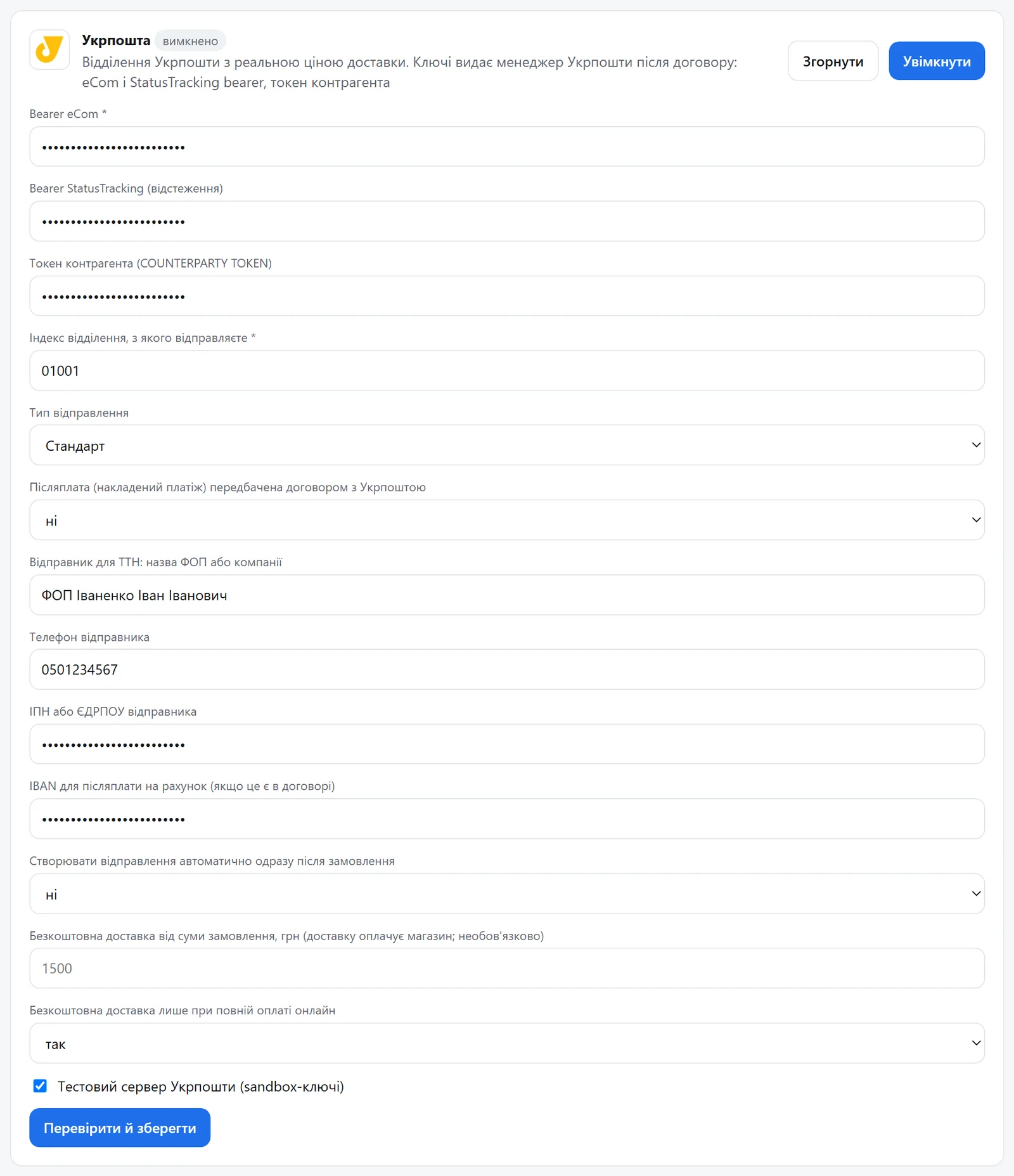
The eCom bearer (required), the StatusTracking bearer and the counterparty token, the postcode of the branch you ship from and the shipment type (Standard or Express). For shipments, the sole proprietor's or company name, phone and tax number; if your contract includes cash on delivery, turn it on and add the IBAN if needed. To try it first, tick “Ukrposhta test server (sandbox keys)”. Press “Verify and save”.
-
5The price in the checkout, shipments from the dashboard
The buyer picks the city and a Ukrposhta branch and sees the delivery price before paying. Shipments: “Orders” → “Create waybill”; the label (PDF) is in the “⋯” menu, and tracking goes to Shopify.
Questions
Do I need a developer?
No. You paste the keys in the UA Checkout dashboard and the Shopify theme usually stays untouched. If you prefer, we connect it for free.
How much does it cost?
UA Checkout: free up to 30 orders a month, then Pro at 790 ₴ a month, with no percentage of sales. The first 14 days of Pro are free.
Ukrposhta in your checkout today
We'll set it up together with you for free. Message us on Telegram