Integrations · Fiscalisation

Vchasno.Kasa for Shopify in Ukraine
Vchasno.Kasa fiscal receipts (PRRO) for Shopify orders: the shift opens by itself, a Z report runs daily at 23:50, and the buyer gets the receipt by email.
What works
- Receipts automatically for card payments; for cash on delivery after collection (if you turn it on).
- You choose the tax group and the payment form on the receipt.
- The shift opens before the first receipt and closes with a Z report at 23:50.
- An “Issue receipt” button in the order list.
How to connect
- 1
 Connect Shopify
Sign up for UA Checkout and connect your store following the guide (about 10 minutes), or we connect it for you.
- 2
Get the keys
The register token: kasa.vchasno.ua → «Налаштування» → «Торгові точки та каси» → your register.
- 3
Turn it on
UA Checkout dashboard → the store's “Settings” → the “Receipts, CRM, SMS” tab → Vchasno.Kasa → “Configure”: paste the details and save; the integration turns on. Vchasno.Kasa has a test register: paste its test token and check a receipt.
Step-by-step guide
-
1Connect your Shopify store
Sign up at app.ua-checkout.com and connect your store with the step-by-step wizard (10–15 minutes), or leave a “We'll connect it for you” request and the team does it.
-
2Get the register token in Vchasno.Kasa
kasa.vchasno.ua → «Налаштування» → «Торгові точки та каси» → your register → token. To try it first without real receipts, take the token of a Vchasno.Kasa test register.
-
3Open the “Receipts, CRM, SMS” tab
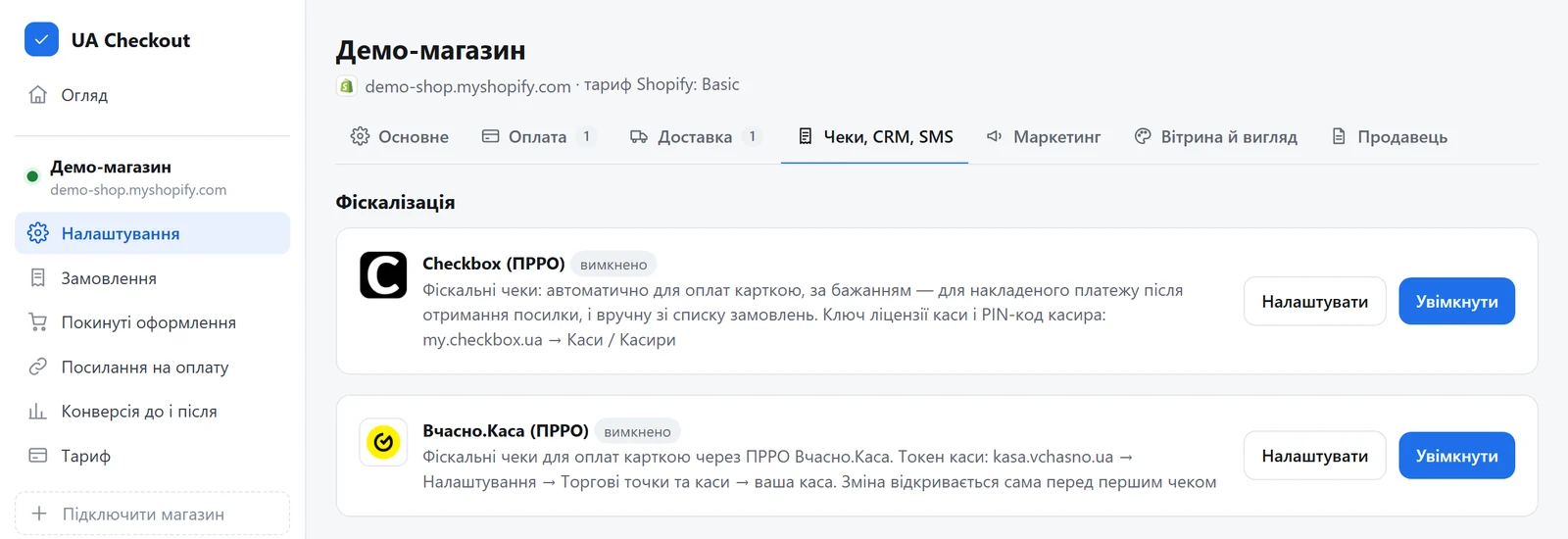
UA Checkout dashboard → the store's “Settings” → the “Receipts, CRM, SMS” tab → the “Вчасно.Каса (ПРРО)” card → “Configure”.
-
4Paste the token and choose how receipts are issued
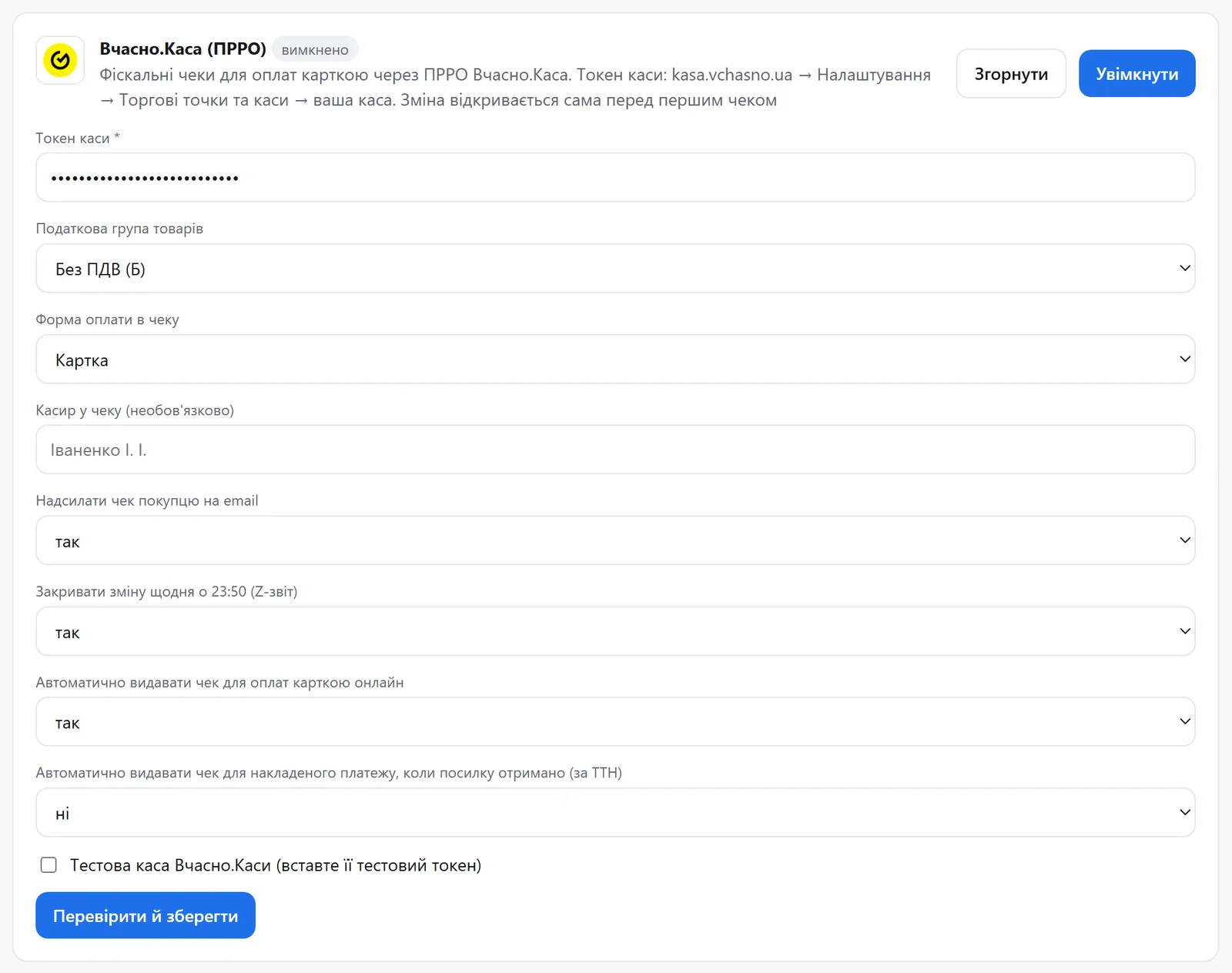
The register token, the goods tax group, the payment form on the receipt, the cashier (optional), the receipt to the buyer by email, closing the shift daily at 23:50 (Z report), automatic receipts for card payments and, if you like, for cash on delivery once the parcel is collected (by waybill). For a test register tick «Тестова каса Вчасно.Каси». Press “Verify and save”: UA Checkout checks the token with Vchasno.Kasa (opening a shift) and turns the integration on.
-
5Receipts go out by themselves, or by hand when needed
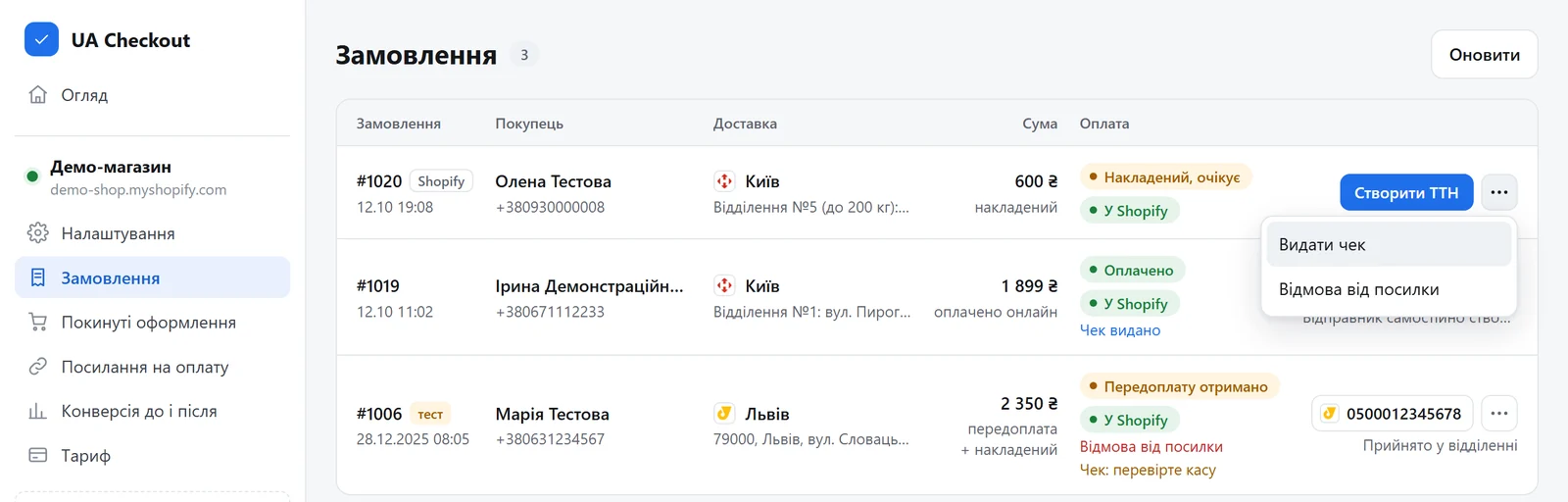
For a card payment the receipt goes out right after payment, for cash on delivery once the parcel is collected (if you turned it on). By hand: “Orders” → the “⋯” menu of an order → “Issue receipt”. The order then shows “Receipt issued” with a link to the receipt.
Questions
Do I need a developer?
No. You paste the keys in the UA Checkout dashboard and the Shopify theme usually stays untouched. If you prefer, we connect it for free.
How much does it cost?
UA Checkout: free up to 30 orders a month, then Pro at 790 ₴ a month, with no percentage of sales. The first 14 days of Pro are free.
Vchasno.Kasa in your checkout today
We'll set it up together with you for free. Message us on Telegram