Integrations · Delivery

Nova Poshta for Shopify in Ukraine
Nova Poshta in your Shopify store's checkout: branches, parcel lockers and courier with the real price and delivery date before payment, waybills and tracking in Shopify.
What works
- City, branch and parcel locker search; courier to the door with street search.
- The price and date come from Nova Poshta's API, by the parcel's weight and size.
- Cash on delivery and partial card prepayment.
- Waybills from the UA Checkout dashboard or automatically after the order; tracking goes to Shopify.
- Free delivery from an order total you choose.
- Cash on delivery switches off automatically for buyers who didn't collect parcels.
How to connect
- 1
 Connect Shopify
Sign up for UA Checkout and connect your store following the guide (about 10 minutes), or we connect it for you.
- 2
Get the keys
The API key: Nova Poshta dashboard → «Налаштування» → «Безпека» → «Ключі API». Set the city and branch you ship from, for the delivery price and waybills.
- 3
Turn it on
UA Checkout dashboard → the store's “Settings” → the “Delivery” tab → Nova Poshta → “Configure”: paste the details and save; the integration turns on. Check the checkout in UA Checkout's test mode: the delivery price is real, and a waybill is created only when you press the button.
Step-by-step guide
-
1Connect your Shopify store
Sign up at app.ua-checkout.com and connect your store with the step-by-step wizard (10–15 minutes), or leave a “We'll connect it for you” request and the team does it.
-
2Create an API key in your Nova Poshta account
Nova Poshta account → «Налаштування» → «Безпека» → «Ключі API» → create a key. The sender and contact person on waybills come from the same account.
-
3Open the “Delivery” tab
UA Checkout dashboard → the store's “Settings” → the “Delivery” tab → the “Nova Poshta” card → “Configure”.

-
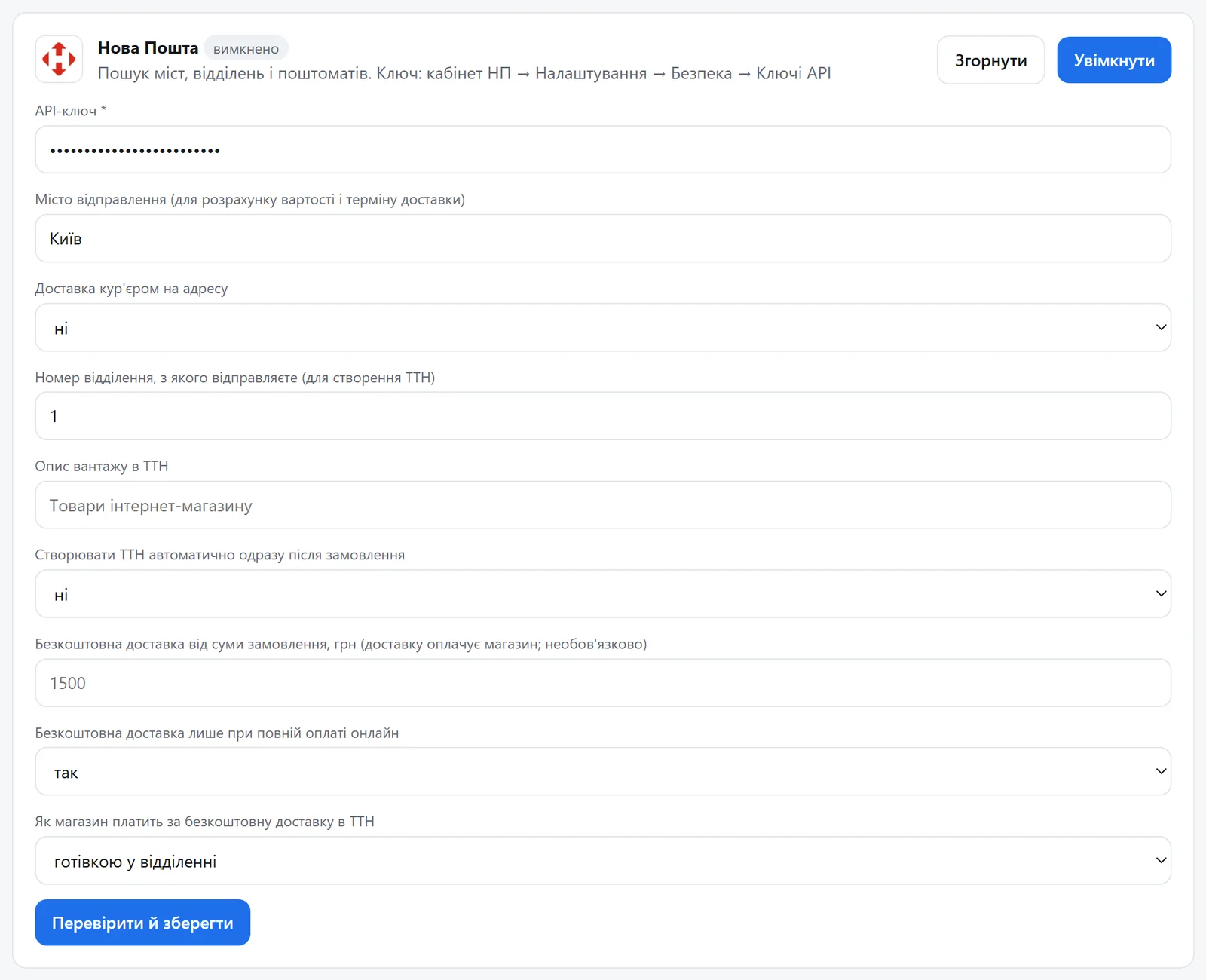
4Paste the key and set where you ship from
The API key, the city you ship from (for the delivery price and time) and the branch number you ship from (for waybills). Optionally: courier delivery to the door, the cargo description, automatic waybills right after the order, free delivery from an order total (for full online prepayment only, or for everyone) and how the store pays for it on the waybill. Press “Verify and save”: UA Checkout checks the key with Nova Poshta and turns delivery on.
-
5Buyers see the delivery price and date, and waybills take one click
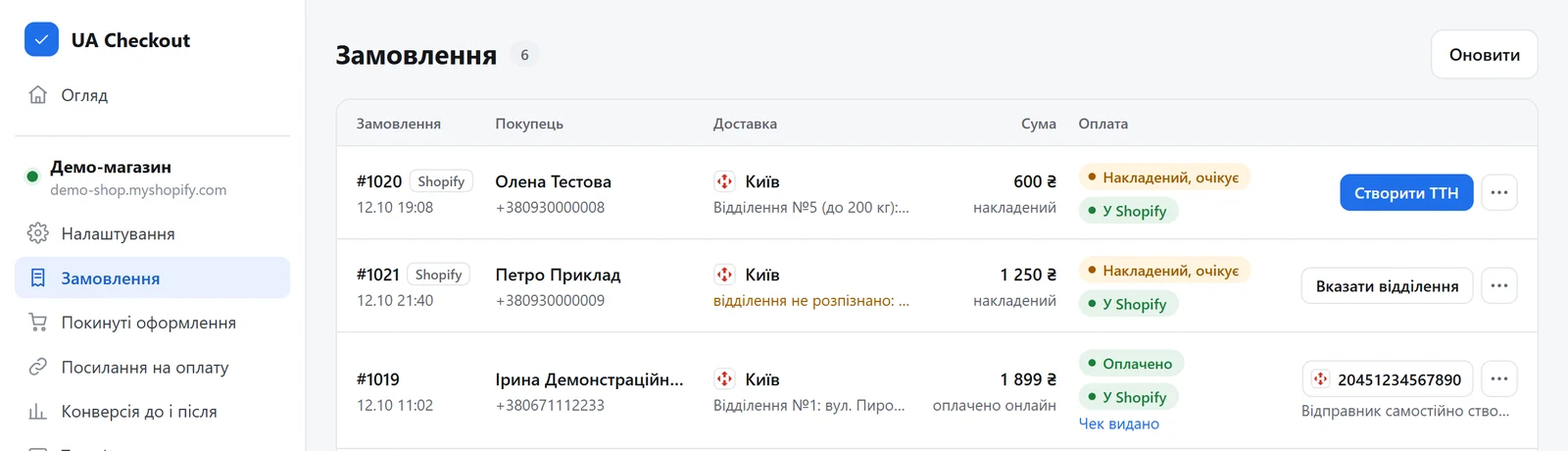
In the checkout the buyer picks the city and a branch or parcel locker (or an address for the courier) and sees the delivery price and date before paying. Waybills: “Orders” → “Create waybill” (or automatically if you turned that on). The waybill number goes into the Shopify order as a shipment with tracking, and the parcel status shows in the order list.
Questions
Who pays for delivery?
The buyer, at Nova Poshta's tariff on collection, seeing the price before payment. From a total you set, the store can pay for delivery.
Do I need a developer?
No. You paste the keys in the UA Checkout dashboard and the Shopify theme usually stays untouched. If you prefer, we connect it for free.
How much does it cost?
UA Checkout: free up to 30 orders a month, then Pro at 790 ₴ a month, with no percentage of sales. The first 14 days of Pro are free.
Nova Poshta in your checkout today
We'll set it up together with you for free. Message us on Telegram