Shopify Payments doesn't serve businesses in Ukraine, so out of the box your store can't accept card payments through Ukrainian banks. At the same time, monobank acquiring (plata by mono) is a familiar way for Ukrainian buyers to pay by card, Apple Pay or Google Pay, and monobank customers can also pay in parts with no extra fees.
In this article we show how to add monobank to Shopify via UA Checkout: how to connect your own acquiring, how the money goes straight to your account, how refunds from Shopify, partial prepayment and pay in parts work. We also honestly explain Shopify's rules about payments outside Shopify Checkout.
Why monobank can't be connected to Shopify directly
Shopify has no built-in way to accept payments through Ukrainian banks: Shopify Payments isn't available here, and the standard checkout doesn't know about Ukrainian acquirers. That's why monobank acceptance is added through a third-party checkout — in our case UA Checkout, which replaces Shopify's payment step with a single page featuring Ukrainian shipping and payment options.
It's important to understand the split of roles: UA Checkout never receives buyers' money and never sees card details. You connect your own monobank acquiring, and funds go straight to your monobank account. UA Checkout only shows the buyer the payment methods they need and passes them to the provider's secure page.
What you connect and what it gives you
| What you connect | What it gives you |
|---|---|
| monobank acquiring (plata by mono) | Payment by Visa or Mastercard card, Apple Pay and Google Pay on the provider's page |
| monobank “Pay in parts” | Pay in parts with no extra fees for monobank customers, as a separate method |
| Partial prepayment | For example, 200 UAH by card now, the rest on delivery; optionally mandatory or at the buyer's choice |
| Refunds | A refund made in Shopify is automatically sent to monobank |
| Checkbox (if you connect it) | A fiscal receipt (PRRO) for every card payment, automatically |
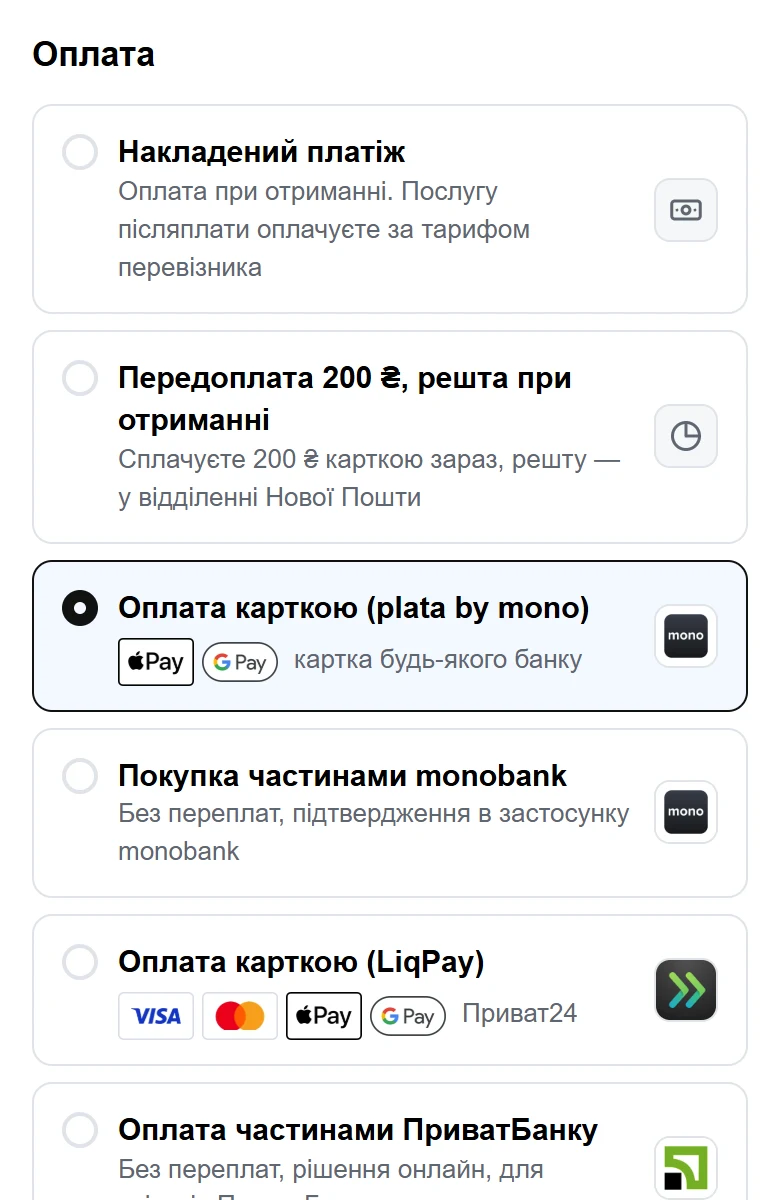
How to connect monobank to Shopify via UA Checkout
- Connect UA Checkout to your store. Sign up and, following the step-by-step guide in the dashboard, create an app in the Shopify Dev Dashboard, then paste its Client ID and Client Secret. The script installs into your theme automatically and routes the “Check out” and “Buy it now” buttons to the UA Checkout page. Setup takes about 15 minutes and needs no developer; support on Telegram can help you for free.
- Connect your own monobank acquiring. You need your own monobank acquiring; if you don't have it yet, set it up and check the terms directly with monobank. Funds from payments arrive straight into your account.
- Add your acquiring details in the UA Checkout dashboard and enable the monobank acquiring (plata by mono) method.
- If needed, connect “Pay in parts” — a separate connection with monobank that has its own store-id and signing key (see below) — and set up partial prepayment.
- Test on the live demo or a test order to confirm the payment works and the order appears correctly in your Shopify admin.
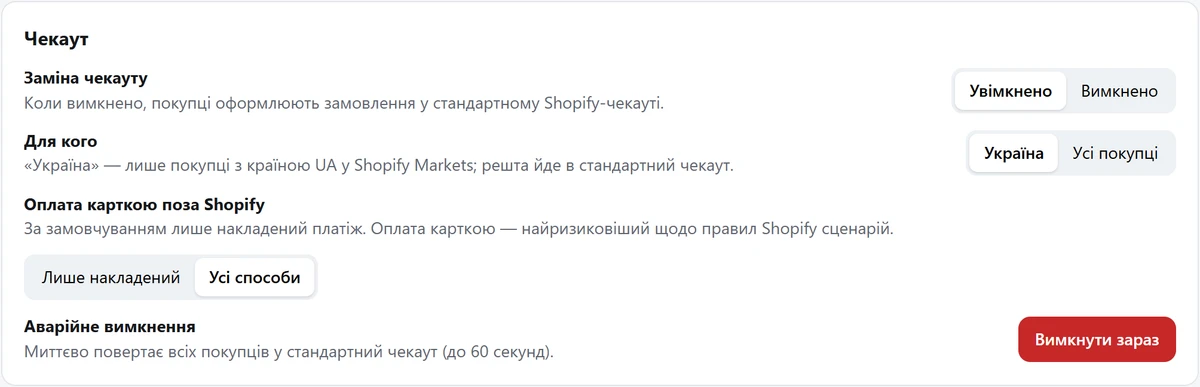
- Enable card payments for buyers. By default a safe start applies — only cash on delivery, and you enable cards outside Shopify yourself.
Pay in parts with monobank
monobank's “Pay in parts” is a separate payment method for monobank customers: instalments with no extra fees. It is a separate connection, not part of plata by mono acquiring: once you connect the “Pay in parts” service, monobank issues a store-id and a signing key, which you enter in the UA Checkout dashboard, where you also choose how many payments to offer (for example 3, 4 or 6). In the checkout it is its own option; there is no payment page — the buyer confirms the purchase in the monobank app. More in the article “Pay in parts in Shopify: monobank and PrivatBank”.
Partial prepayment
Partial prepayment helps reduce risk when a buyer chooses cash on delivery. The buyer pays part of the amount by card now (for example, 200 UAH), and the rest on delivery. You can make such prepayment mandatory or leave it to the buyer's choice. Read more about cash on delivery and reducing refusals in a separate article “Cash on delivery in Shopify”.
Refunds from Shopify
You process refunds in the usual Shopify interface. If you enable the relevant option, a refund is automatically sent to the payment provider — including monobank, LiqPay and others. There's no need to log in to the bank's dashboard separately.
If you connect a Checkbox cash register in UA Checkout, a fiscal receipt (PRRO) is issued automatically for every card payment.
Shopify rules worth knowing
The Shopify API License and Terms of Use (section 2.3.18) and Terms of Service (1.8, 4.5) do not allow processing payments and orders outside Shopify Checkout without Shopify's written permission. Similar services for Ukrainian stores have worked this way for years, but Shopify may restrict such integrations.
UA Checkout warns you about this during setup and reduces the risk: by default only cash on delivery is enabled, and you enable card payments consciously. If UA Checkout is unavailable, buyers automatically get the standard Shopify checkout, so sales don't stop. There's also a one-click emergency off button in the dashboard and in the Telegram bot.
How much it costs
The free plan covers up to 30 orders per calendar month through UA Checkout with all payment and shipping methods and the “Powered by UA Checkout” badge. The Pro plan costs 790 UAH per month per store with no order limit and no badge, 0% of sales (as of October 2026). Every new store gets 14 days of Pro free, no card required. Details are on the pricing page.
To see the payment page through the buyer's eyes, open the demo, and when you're ready — create an account and connect monobank following the steps above. If you're comparing solutions, take a look at the comparison page.