Ukrainian buyers are used to seeing Pay in parts in online stores, but Shopify's standard checkout doesn't offer this: there's no monobank, no LiqPay, and no bank instalment plans accepted in Ukraine. For the buyer to see this payment method, the store owner needs a tool that adds these options to checkout.
In this article we look at the two main methods that actually work for Ukrainian buyers on Shopify: monobank's «Покупка частинами» and PrivatBank's "Pay in parts" via LiqPay. We explain who can use them, what the buyer sees at checkout, and what details the store owner needs to enable each method in the UA Checkout dashboard.
Which Pay in parts methods are available in Shopify
In the checkout that UA Checkout adds, Ukrainian buyers have several instalment options available at once — each works through its own bank or provider:
| Method | Who can use it | Minimum amount | How the store owner connects it |
|---|---|---|---|
| monobank's «Покупка частинами» | monobank clients | per the bank's terms | separate connection: store-id and signature key from monobank |
| PrivatBank's "Pay in parts" | PrivatBank cardholders | per the bank's terms | LiqPay account and the "Pay in parts" toggle |
| A-Bank instalment plan | A-Bank clients | from 300 UAH | via Tranzzo |
| PUMB instalment plan | PUMB cards only | from 500 UAH | via Tranzzo |
The store owner enables the Tranzzo options separately: first you need to contact Tranzzo support to have them connected, and at checkout the buyer selects their own bank and completes payment on the Tranzzo page.
Who can use Pay in parts
All buyers see the Pay in parts options, but each one can only be used by clients of the corresponding bank: «Покупка частинами» — buyers with a monobank account; PrivatBank's "Pay in parts" — PrivatBank cardholders. Whether the bank approves instalments for a particular buyer is up to the bank itself. If the buyer isn't a client of either bank, they'll choose another method: card, cash on delivery, or, if the store owner has connected it, an A-Bank or PUMB instalment plan via Tranzzo.
What the buyer sees at checkout
On the UA Checkout page, all enabled payment methods appear in one list: cash on delivery, card payment via monobank or LiqPay, and, as separate options — «Покупка частинами monobank», PrivatBank's "Pay in parts", and, if the store owner has connected them, A-Bank and PUMB instalment plans via Tranzzo. PrivatBank's "Pay in parts" opens a LiqPay page with only the Pay in parts option. «Покупка частинами monobank» has no payment page: the buyer confirms the purchase in the monobank app, and checkout waits for confirmation. UA Checkout never sees or stores card details: the money goes straight to the store's account.
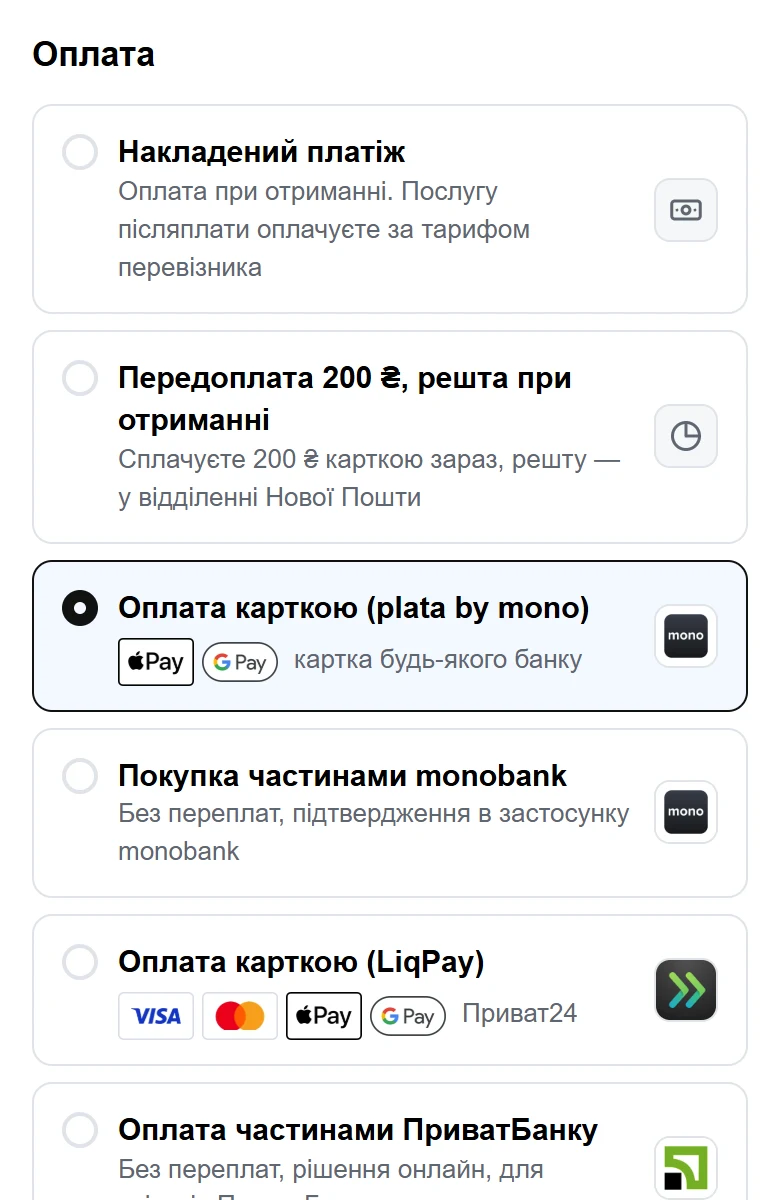
You can see how this looks on the UA Checkout demo page (https://checkout.ua-checkout.com/demo) — without creating an order or charging any money.
How to enable monobank's «Покупка частинами»
- Connect the monobank «Покупка частинами» service for your business. This is a separate connection, not the plata by mono acquiring.
- Once connected, monobank issues a store-id and a signature key.
- Enter them in the UA Checkout dashboard, in the monobank «Покупка частинами» section, and specify how many instalments to offer (for example, 3, 4 or 6) and whether to confirm applications automatically or manually in the monobank dashboard.
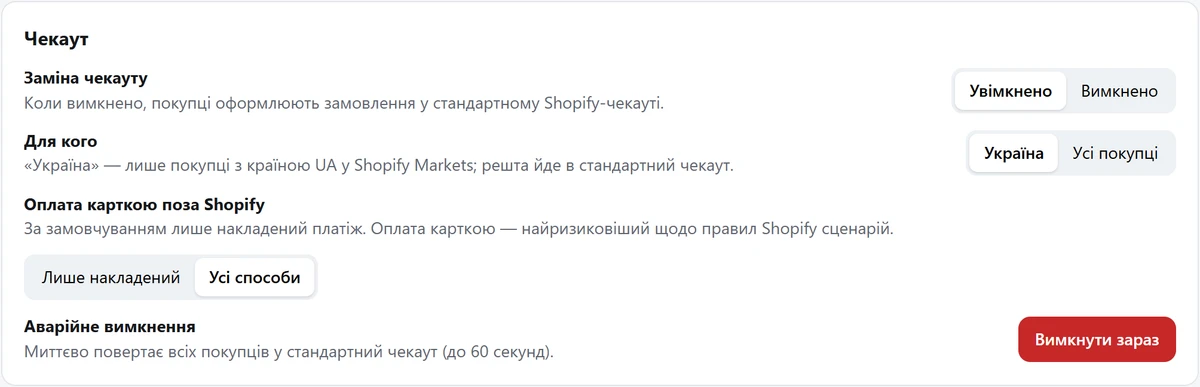
- Enable card payment outside Shopify — by default only cash on delivery is active.
- After that, a separate «Покупка частинами monobank» option appears at checkout: the buyer selects it and confirms the purchase in the monobank app.
For card payment via plata by mono, see the article “monobank (plata by mono) and Shopify”.
How to enable PrivatBank's "Pay in parts" via LiqPay
- Create a store (account) at liqpay.ua if you don't already have one.
- In the LiqPay dashboard, get the connection details that LiqPay provides.
- Add these details in the UA Checkout dashboard, in the LiqPay section, and turn on the "Separately offer PrivatBank's Pay in parts" toggle there.
- Enable card payment outside Shopify.
- Buyers see card payment via LiqPay (card, Apple Pay, Google Pay, Privat24) and a separate "PrivatBank Pay in parts" option, which opens a LiqPay page with only the Pay in parts option.
For more details, see the article “LiqPay in Shopify: card payment, Privat24 and Pay in parts”.
How much does Pay in parts cost in UA Checkout
The payment methods themselves are included in both the free and paid UA Checkout plans — the store owner doesn't pay UA Checkout anything extra for instalments. The free plan allows up to 30 orders per calendar month (Kyiv time) through UA Checkout, with all payment and shipping methods and the “Powered by UA Checkout” badge on checkout; after the limit, new buyers get Shopify's standard checkout until the start of the next month. Pro costs 790 UAH a month (as of October 2026), with no order limit, no badge, checkout on the store's own subdomain, and reminders about incomplete orders via Viber or SMS. UA Checkout doesn't take a commission on each order — just a fixed monthly fee on the paid plan (0% of sales). Every new store gets 14 days of Pro free, with no card required.
monobank and LiqPay themselves charge their own acquiring fees — check their rates at monobank.ua and liqpay.ua. A comparison of UA Checkout's pricing with Chekly and Plata is available on the /compare/ page.
Does Shopify allow Pay in parts outside the standard checkout
Shopify's terms (the API License and Terms of Use, section 2.3.18, and the Terms of Service, sections 1.8 and 4.5) don't allow processing payments and orders outside Shopify Checkout without Shopify's written permission. Solutions like this have worked for Ukrainian stores for years, but Shopify could restrict such integrations. UA Checkout warns about this during setup and reduces the risk: by default only cash on delivery is active, and if the service becomes unavailable, buyers automatically get Shopify's standard checkout — sales don't stop.
If fully replacing checkout feels premature, UA Checkout has a «Помічник для стандартного чекауту Shopify» mode (Pro and trial period): it adds Telegram notifications, CRM, SMS or Viber, and a waybill (TTN) to orders placed through Shopify's regular checkout. But Pay in parts options don't appear in this mode — the buyer only sees the payment methods the store has configured in Shopify itself.
You can connect monobank and LiqPay in the UA Checkout dashboard — registration is free, and the first 14 days of Pro are active right away: app.ua-checkout.com/register.