A buyer added a product to the cart, reached checkout, entered a phone number and closed the tab. For a store selling in Ukraine, that contact can be followed up: you can call, write on Viber or Telegram, or send a link that reopens the cart.
In this article we look at where to find abandoned checkouts in Shopify with UA Checkout, how to export them to CSV, how to set up Viber or SMS reminders or remind buyers manually, and how to help a buyer complete the order with a payment link. We also explain separately which of these features work on WooCommerce, OpenCart and PrestaShop.
What an abandoned checkout is and why Shopify’s standard list is not enough
Shopify has an Abandoned checkouts section in the Orders menu. It includes checkouts started in the standard Shopify checkout, and reminders there are usually sent by email.
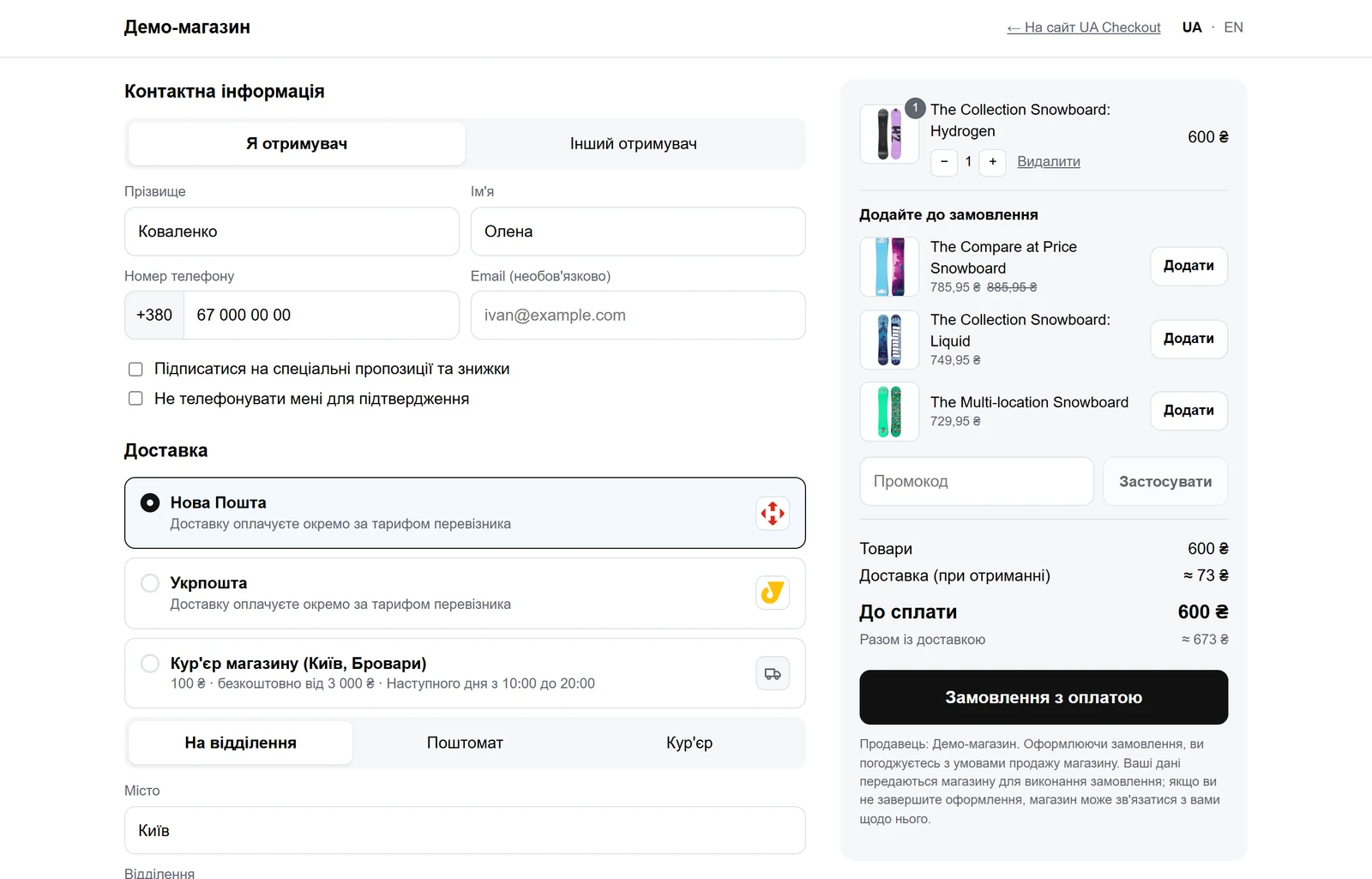
When a store connects UA Checkout, the Check out and Buy it now buttons lead to the UA Checkout page with Nova Poshta, cash on delivery and Ukrainian payment systems. So buyers who leave this page end up in the abandoned checkout list in the UA Checkout dashboard. Only those who managed to enter a phone number are counted, so every one of them can be contacted.
Ways to win a buyer back in UA Checkout
| Method | What the store does | What the buyer gets | Plan |
|---|---|---|---|
| Abandoned checkout list | Sees in the dashboard who entered a phone number and did not complete the order | — | Any |
| CSV export | Exports the list for a spreadsheet, CRM or a manager’s work | — | Any |
| Automatic reminder | Connects TurboSMS or AlphaSMS, optionally adds a promo code | One Viber or SMS message with a link to the same cart | Pro and free trial |
| «нагадую сам» (“I’ll remind them myself”) mode | Sees in the list and CSV who agreed to a reminder and when, and contacts them personally | A call or message from the store | Pro and free trial |
| Payment link | Sends a link via Instagram, Viber or another messenger | A link to place and pay for the order | Any (Shopify only) |
There is no free plan: every new store gets 5 days of Pro free from connection, no card required, and then Pro costs UAH 790 per month per store, with no order limit and no percentage of sales. Without payment, UA Checkout switches off and buyers see Shopify's standard checkout. More on plans in the pricing section.
How to view and export the abandoned checkout list
- Make sure the checkout buttons lead to the UA Checkout page.
- Open the abandoned checkout list in the dashboard. It shows buyers who entered a phone number on the checkout page but did not complete the order.
- Export the list to CSV if a manager will work with it or it needs to go into a spreadsheet or CRM.
- Agree within the team who handles the list and when, so that buyers do not get several calls from different people.
The list does not guarantee results by itself: it is a list of contacts, and recovery depends on how the store works with them.
How to set up Viber or SMS reminders
Automatic reminders are available on Pro. They are sent through the SMS service the store has connected in the dashboard:
- TurboSMS tries to send the message via Viber first, then via SMS;
- AlphaSMS is the second available service.
Reminders work only after the store connects one of these services. Messages are charged at the service’s own rates, so check them with the provider.
What to know about the reminder itself:
- it is sent only to buyers who ticked the «нагадати» (“remind me”) box on the checkout page;
- one message is sent, not a series;
- the link in it opens the same cart, so the buyer does not have to fill it again;
- you can add a promo code to the link if you want to offer a discount;
- orders placed via the link get the
uac-recoveredtag in Shopify, so they are easy to count.
The «нагадую сам» mode: if you have no SMS service
Not every store wants to connect a messaging service. For this there is the «нагадую сам» (“I’ll remind them myself”) mode. Buyers see the same reminder consent box, and the abandoned checkout list and its CSV show who agreed and when. A manager then calls or writes personally, for example on Viber or Telegram.
This mode suits small stores where every cart is handled manually, as well as those who want to talk to a buyer before any messaging and find out what stopped them.
How to help a buyer complete the order with a payment link
Often a buyer does not complete the order because they have a question about size, delivery time or payment method. Once a manager has answered in the conversation, it is convenient to send a link straight away. UA Checkout for Shopify has payment links for Instagram, Viber and messengers: the manager sends one to the buyer so they can complete the order.
Another feature for repeat purchases: the name, city and branch are remembered on the buyer’s device, so the next checkout takes less time.
An order placed via the link is created in the Shopify admin like any other. If the store has connected Checkbox, KeyCRM or the Telegram bot for the owner, the order is processed by them in the same way.
Shopify rules worth knowing
UA Checkout accepts orders and payments outside Shopify Checkout. Shopify’s API License and Terms of Use (section 2.3.18) and Terms of Service (1.8, 4.5) do not allow processing payments and orders outside Shopify Checkout without Shopify’s written permission. Similar services for Ukrainian stores have worked this way for years, but Shopify may restrict such integrations. UA Checkout warns about this during connection and reduces the risk: only cash on delivery is enabled by default, and if the service is unavailable, buyers are automatically sent to the standard Shopify checkout. More in the article is a third-party Shopify checkout legal in Ukraine.
These rules apply only to stores on Shopify.
What works on WooCommerce, OpenCart and PrestaShop
When the UA Checkout page is enabled on these platforms (including in «Тест» (“Test”) mode), the following are available:
- the abandoned checkout list with CSV export;
- on Pro, the «нагадую сам» mode: buyers tick the consent box, and the list and CSV show who agreed and when. This was verified on WooCommerce on 4 November 2026.
Automatic Viber or SMS reminders and payment links are confirmed only for Shopify, so on WooCommerce, OpenCart and PrestaShop you will have to remind buyers manually. For connecting on WordPress, read the article WooCommerce in Ukraine: Nova Poshta, cash on delivery and card payments.
How to measure the result
On Shopify, count orders with the uac-recovered tag: these came via a reminder link. The overall picture is shown by the «Конверсія до і після» (“Conversion before and after”) report: it compares checkout conversion over equal periods before and after switching to UA Checkout, counting from the step where the buyer left a phone number or email. The report shows your store’s own figures, and UA Checkout does not promise any particular result.
If you are still choosing a solution, start with the article Shopify checkout in Ukraine: how to choose a solution or go through checkout in the demo: it has real Nova Poshta branches, delivery prices and all payment methods, but no order is created and no money is charged.