A cash on delivery parcel that nobody collects costs a store money and time: there's the return, and meanwhile the product isn't being sold. Check storage conditions and return costs on novaposhta.ua. You can't eliminate such cases entirely, but you can make sure cash on delivery goes to the buyers and orders for which it genuinely makes sense.
Below is what to do with a parcel a customer hasn't collected, and which UA Checkout settings help reduce refusals: phone number protection, partial prepayment, order value and quantity limits, the collection rule (Shopify only) and transparent costs before the order is placed. We covered the general questions about enabling cash on delivery in the article Cash on delivery in Shopify; here we'll focus specifically on refusals and on how to combine the settings.
A customer didn't collect a cash on delivery parcel: what to do
- Check the waybill status using its TTN number. If waybills are created from the UA Checkout dashboard, the tracking number is already in the Shopify order (for more details, see the article on Nova Poshta and Ukrposhta waybills (TTN)).
- Contact the buyer: remind them that the parcel is waiting and ask whether they intend to collect it.
- The free storage period and the terms and cost of return to sender depend on the carrier's rates. Check them on novaposhta.ua rather than relying on memory or other people's advice.
- If the buyer has refused the parcel, make sure their next order doesn't go the same way. That's what UA Checkout's refusal protection is for (next section).
How refusal protection by phone number works
When a buyer refuses a parcel sent with cash on delivery, UA Checkout disables cash on delivery for their phone number. If they place a new order from the same number, cash on delivery will no longer appear in the list of payment methods: card payment and any other methods you've connected will remain.
This works automatically and requires no Excel blacklists or manual checks of every order by a manager. Buyers who collect their parcels aren't affected by the restriction.
Which settings help reduce refusals
Refusal protection reacts after the first refusal. The other tools work in advance: fewer risky orders go through cash on delivery without prepayment in the first place.
| Tool | What it does | When it makes sense |
|---|---|---|
| Refusal protection | After a refusal, disables cash on delivery for the buyer's phone number | Always, as basic protection |
| Optional partial prepayment | The buyer can pay part by card and the rest on receipt | When you don't want to create a barrier but want to offer a choice |
| Mandatory partial prepayment | Cash on delivery is only available after a card prepayment | When refusals are especially costly for you |
| Per-item prepayment (from 1 November 2026) | The prepayment amount is multiplied by the number of items in the cart, but doesn't exceed the order total | Orders for several identical products |
| Order value or quantity limit (from 1 November 2026) | Above the set threshold, cash on delivery disappears and card payment methods remain | Expensive or large orders |
| Disabling by collection (from 1 November 2026, Shopify only) | Cash on delivery is disabled if the cart contains a product from the specified collections | Made-to-order products, expensive categories |
| Money transfer fee and delivery price before ordering | The buyer sees the estimated amounts they will pay the carrier on receipt | So that the amount due at the branch doesn't come as a surprise |
| «не дзвоніть мені» (“don't call me”) flag | The buyer can ask not to be phoned for confirmation, and the store sees this in the order | So the manager can plan calls |
Partial prepayment: optional or mandatory
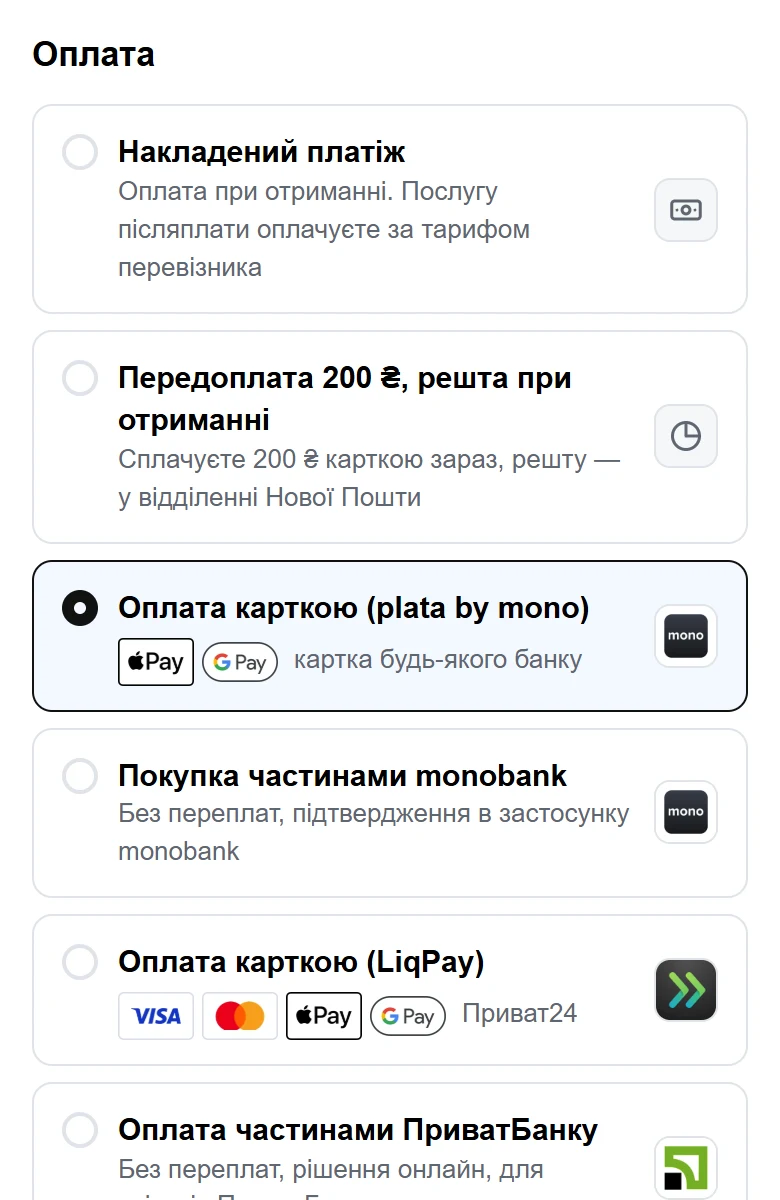
Prepayment — for example, 200 UAH by card now and the rest on receipt — is configured in the cash on delivery card. You choose whether it's optional for the buyer or whether cash on delivery is unavailable without it. Prepayment requires card payments to be connected: on Shopify, only cash on delivery is enabled by default, and you enable card payments outside Shopify yourself.
If you enable «Передоплата за кожну одиницю товару» (“Prepayment for each item”), the amount depends on the quantity: the set amount is multiplied by the number of items in the cart, so for two items the prepayment is twice as much. The prepayment never exceeds the order total.
Order value and item quantity limits
In the same card, you can set an order value or number of items above which cash on delivery is disabled. You choose the threshold based on your own return statistics. When the threshold is exceeded, the buyer only sees card payment methods. An important detail: if only cash on delivery is enabled in the store and there's no card payment, the limit doesn't remove it, so that the buyer isn't left without a way to pay.
Disabling by collection (Shopify only)
On Shopify, you can list collections (by handle or name), and if the cart contains at least one product from them, cash on delivery disappears. This is handy for products that are hard to resell after a return. The rule only works for stores on Shopify.
Transparent costs before the order is placed
Before checking out, the buyer sees the carrier's estimated money transfer fee from the Nova Poshta calculator, as well as the estimated delivery price if the product weights are known. They pay both amounts to the carrier on receipt, and the waybill is created with the cash on delivery amount. The delivery price is only shown when every product in the cart has a weight in Shopify or you've set a custom unit weight; otherwise the checkout states that delivery is paid at the carrier's rates, without a figure. The dashboard shows the list of products without a weight, so it's worth filling them in in advance.
How to combine the settings: examples
- Inexpensive products, small carts. Cash on delivery without restrictions, refusal protection and optional prepayment. Fill in product weights so the buyer can see the delivery price.
- Wide price range. An order value limit: cash on delivery is available below the threshold, card only above it. For orders of several identical products, add per-item prepayment.
- Made-to-order products on Shopify. Put them in a separate collection and disable cash on delivery for it. Keep the usual rules for the rest of the catalogue.
- Refusals are already hitting your budget noticeably. Mandatory partial prepayment for all cash on delivery orders plus refusal protection.
You can see what checkout looks like from the buyer's side overall in the demo: it has real Nova Poshta branches and all payment methods, but no order is created and no money is charged.
What to know about Shopify, other platforms and pricing
On Shopify, UA Checkout processes payments and orders outside Shopify Checkout. Shopify's API License and Terms of Use (section 2.3.18) and Terms of Service (1.8, 4.5) don't allow this without Shopify's written permission. Similar services for Ukrainian stores have worked this way for years, but Shopify may restrict such integrations. UA Checkout warns about this during setup and reduces the risk: only cash on delivery is enabled by default, and if the service is unavailable, buyers automatically get the standard Shopify checkout. For more details, see the article Is a third-party Shopify checkout legal.
UA Checkout also works with WooCommerce, OpenCart and PrestaShop, and these Shopify rules don't apply to them. However, the cash on delivery settings described here are covered for Shopify: to find out whether they're available for your store on another platform, ask support. Disabling by collection is Shopify only.
All the settings are included in the Pro plan: 790 UAH per month per store, with no order limit and no percentage of sales, as of November 2026. Every new store gets 5 days of Pro free from the moment of connection, no card required. Details are in the pricing section.