Stores that ship parcels with Ukrposhta face one problem: the standard Shopify checkout has no Ukrposhta branch selection and no real delivery price. The buyer has to type the address manually, and a manager then has to confirm the details.
In this article, we explain what the Ukrposhta integration in UA Checkout offers, which contract and keys you need, how to set it up, what happens after an order and what the limitations are.
What does Ukrposhta in UA Checkout offer?
UA Checkout replaces the checkout step with a single page for Ukrainian buyers. Ukrposhta works on it like this: the buyer chooses a branch and sees the real delivery price (Standard or Express) before payment.
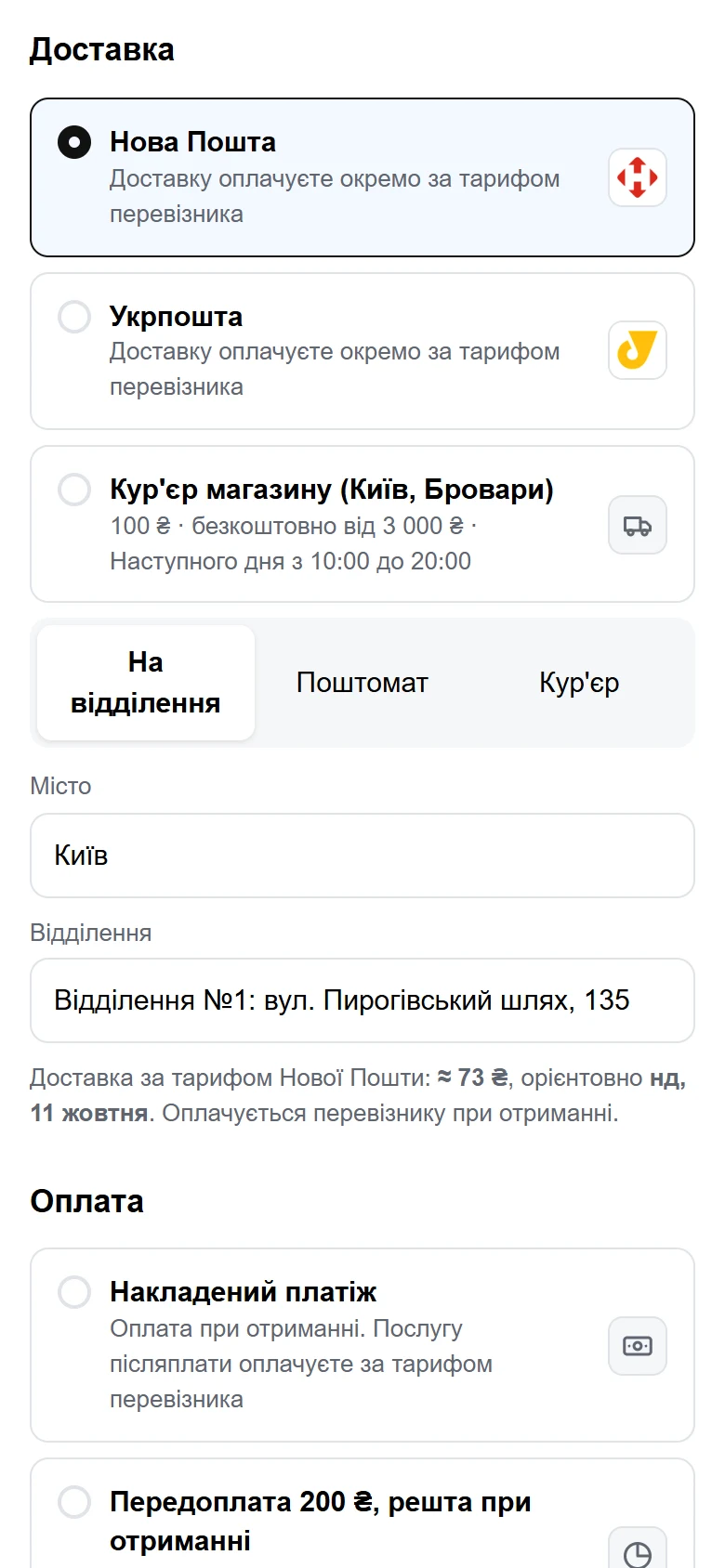
| Who | What they get |
|---|---|
| Buyer | Ukrposhta branch selection on the checkout page and the real delivery price before payment |
| Store | Orders in Shopify with delivery details, waybills (TTN) from the dashboard in one click or automatically, label printing |
| Store (after dispatch) | Tracking number in the Shopify order |
The price on the page is the real Ukrposhta delivery price (your store's contract and keys are required). Shopify still calculates product prices, discounts and stock levels.
What do you need from Ukrposhta?
The integration works with your own contract, so you need:
- your store's contract with Ukrposhta;
- integration keys from Ukrposhta. Check with Ukrposhta exactly what details are required and where to get them.
The contract terms are set by Ukrposhta.
How to connect Ukrposhta: step by step
- Sign a contract with Ukrposhta and obtain integration keys from it.
- Connect your store to UA Checkout: the dashboard has a step-by-step guide to creating an app in the Shopify Dev Dashboard, and you only need the Client ID and Client Secret. Setup takes about 15 minutes and doesn't require a developer.
- In the dashboard, enable the Ukrposhta integration and enter the keys.
- Test on your live store. Your current checkout stays in place for buyers, and the UA Checkout button is only visible to those who open the store via a special link. Check the Ukrposhta branches and prices. These orders are tagged
uac-test. - Make sure everything works, then switch the checkout on for everyone.
You can see what the page looks like in the demo: it shows real Nova Poshta branches and delivery prices, no order is created and no money is charged. The demo doesn't show your store's Ukrposhta settings, so check them in test mode.
What happens after an order?
The completed order appears in Shopify with the delivery details, payment method and tags. Then:
- the Ukrposhta waybill is created in the UA Checkout dashboard in one click or automatically after the order;
- the label can be printed;
- the tracking number is added to the Shopify order.
The same mechanism works for Nova Poshta too; read more about it in the article Shopify waybills (TTN): automatic Nova Poshta and Ukrposhta waybills.
If you offer free delivery, it can be enabled above a set order value for Nova Poshta and Ukrposhta. Optionally, it applies only to orders paid in full online. In that case, the store pays for the waybill.
How much does it cost?
New stores get 5 days of Pro free with no card required; then Pro costs 790 UAH per month per store, with no order limit and all delivery and payment methods. There is no free plan: without payment UA Checkout switches off. A comparison with other solutions is on the comparison page.
What are the limitations?
- The integration can't be enabled without a Ukrposhta contract and keys. Terms and rates are set by Ukrposhta, so check them with Ukrposhta.
- The buyer sees the real Ukrposhta delivery price (Standard or Express); check your contract with Ukrposhta to see which terms apply to your store.
- Shopify's rules. Shopify's terms of use (API License and Terms of Use, section 2.3.18, and Terms of Service, sections 1.8 and 4.5) do not allow processing payments and orders outside Shopify Checkout without the company's written permission. Similar services for Ukrainian stores have been operating for a long time, but Shopify may restrict such integrations. UA Checkout warns about this during connection and reduces the risk: by default only cash on delivery is enabled, and if UA Checkout is unavailable, buyers are automatically sent to the standard Shopify checkout. More details: Is a third-party Shopify checkout legal in Ukraine.
If most of your shipments go via Nova Poshta, read how to connect Nova Poshta to Shopify: both services can work in the same checkout.
You can connect your store on the sign-up page. Support helps with setup free of charge on Telegram.